Tuned by Keith
Menu

STANDALONE ENGINE MANAGEMENT

MaxxECU
tuning guide.

Plan the ECU, engine hardware and calibration as one system. My MaxxECU experience includes vintage Porsche engine work with Kinsler hardware and the large-cam 964 project.

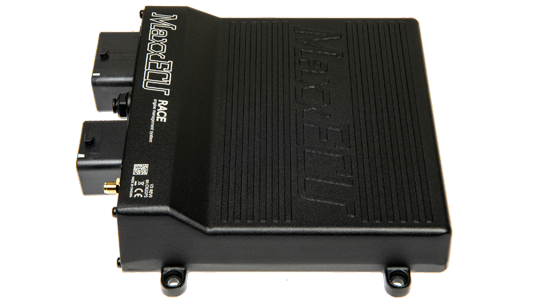
MaxxECU RACE standalone engine-management unit
MaxxECU RACEMaxxECU RACE shown as a hardware example. Confirm the exact model and fitment for your project.Manufacturer photo and product details ↗

THE INSTALLATION COMES FIRST

Tune the combination, not just the fuel table.

Start with the hardware record

Identify the ECU model, engine, trigger arrangement, injectors, ignition and throttle. Include the wiring and sensor specifications. Model-specific connections and functions need review before ordering additional hardware.

Describe the drivability target

Large cams and individual throttle arrangements change the calibration brief. Tell me about starting, idle, low-speed response and intended operating conditions, not only the desired peak output. Mechanical setup and calibration must be considered together.

Keep MTune files together

Retain the current tune with the native recording from the same configuration. Explain the symptom, revision and test conditions. A useful log captures the event itself; a screenshot after the engine has settled often misses the information we need.

Where it fits

It can be considered for a conversion or developed engine project after checking the required functions and connections. My Porsche work includes MaxxECU and Kinsler throttle integration.

Explore the Porsche engine projects →

Software and logging

MTune is the computer software used to configure and tune MaxxECU and review logs. PC logging records while the computer is connected; internal logging, where supported and configured, records in the ECU for later download.

Keep the original tune and log together. MTune’s native tune file uses the .MaxxECU-save extension, while logs can use .MaxxECU-log or .maxxlog. A compressed log package can include the tune as well as the recording; send the native files using our agreed transfer method.

Why not send just a CSV?

A CSV can help with external analysis, but keep the native recording too. It preserves the original file for review, and a matched calibration helps explain what was happening during the test.

About MTune ↗ · Tune and log file formats ↗

What to send Keith

  • ECU model, firmware and current configuration.
  • Engine, trigger, injector, ignition and throttle details.
  • Wiring diagram, connected devices and available logs.

If you are unsure which system you have, start with a photo of the ECU label and the details you know.

Before your tuning session

Use the documentation and MTune software appropriate to your system. Include any unresolved starting or driving issue and the changes made since the last working configuration.

MaxxECU documentation and software ↗

EXPERIENCE / PROJECT CONTEXT

Large-cam 964: a specific calibration brief.

The large-cam 964 is a distinct MaxxECU project within my vintage Porsche work, with Kinsler throttle integration and calibration around its engine specification. The project history explains how it differs from the street-cam MoTeC 964 and cable-throttle Emtron Shadow engine.

Explore the large-cam MaxxECU 964 →

The MaxxECU RACE product image is a hardware example. The project record does not identify the large-cam engine’s ECU model as RACE.

Make the session productive.

  1. Send the existing record. Include the ECU label, current tune and logs, engine specification, wiring information and a description of the goal or fault.
  2. Agree on the scope. We distinguish installation checks, first-start work, drivability refinement and dyno calibration. Hardware, software access and unresolved faults can change the plan.
  3. Prepare the vehicle. Resolve leaks, misfires and known mechanical concerns. Confirm fuel, battery condition and the logging equipment. Follow the vehicle preparation checklist before the appointment.
  4. Review the result. Keep the agreed final file and instructions. Let me know before changing the hardware, sensors or fuel afterward.

MaxxECU planning questions.

What should I send for a vintage Porsche project?

Send the engine and cam specifications, Kinsler hardware details, throttle arrangement, injectors, fuel and installed ECU. My 964 work includes both cable-operated and drive-by-wire setups; the actual hardware on your engine determines the calibration scope.

Can you supply hardware as well as tune it?

I offer ECU sales and project packages. Send your engine, intended use and existing equipment so we can confirm the hardware, accessories and calibration scope before quoting. Product photos are examples, not promises of stock or fitment.

Can this be handled remotely?

That depends on the installation, the work needed and the available data. Send the project details first. An unresolved wiring or mechanical issue may require hands-on checks before calibration can progress.

Can I use a dyno I have arranged?

Yes, subject to coordination. Confirm the location, equipment, operator, schedule and scope with me before booking. Travel and in-person work require planning and are quoted for the project.

Plan the next step

Tell me about your car, the equipment already installed and what you want to improve. I can review the setup before you order a tune or buy more parts.

Compare ECU and tuning platforms →